"We'll look at AI once we get our data cleaned up."
I hear some version of that sentence a lot. Usually from an owner who clearly knows the business inside out and is a little embarrassed about the shared drive.
I get it. I've also never seen that cleanup happen on its own.
Think about the last time somebody at your company said "let's finally organize the Drive." Maybe a new folder structure showed up. Maybe there was a meeting about it. Three weeks later the new folders sat right next to the old ones, and now there were two places to look instead of one.
Cleanup with no deadline and no payoff loses to client work every time. As it should, honestly. Clients pay the bills.
So here's my position, and I'll spend the rest of this post defending it: messy data isn't a reason to wait on AI integration. A small, specific AI project is the best excuse you'll ever get to clean it up.
The scary stat, read properly
In February 2025 Gartner published a prediction that now shows up in a lot of sales decks. Through 2026, organizations will abandon 60% of AI projects that aren't supported by AI-ready data. In the same release, 63% of data management leaders said they either didn't have the right data practices for AI or weren't sure.
People read that and hear "fix all of your data first or you'll fail."
That's not what it says. The projects at risk are the ones whose data doesn't support that project. Readiness is about fit for one job. It isn't some company-wide state of grace where every file has a sensible name and every spreadsheet balances.
A 12-person property management firm doesn't need "AI-ready data" in the abstract. It needs the lease files and the maintenance log to be readable enough to answer "who fixed the boiler at Elm Street last winter, and what did we pay them?" Much narrower. Much more doable.
You're not uniquely messy
If it makes you feel better, nobody's data is clean.
Tadhg Nagle, Thomas Redman and David Sammon had executives take the last 100 records their own department created and check each one for errors. In their Harvard Business Review piece, only 3% of the resulting scores met even a loose standard for acceptable quality. Pooling 75 of these assessments across a wide range of organizations, they later reported that 47% of newly created records had at least one critical error.
Almost half. Of the new records.
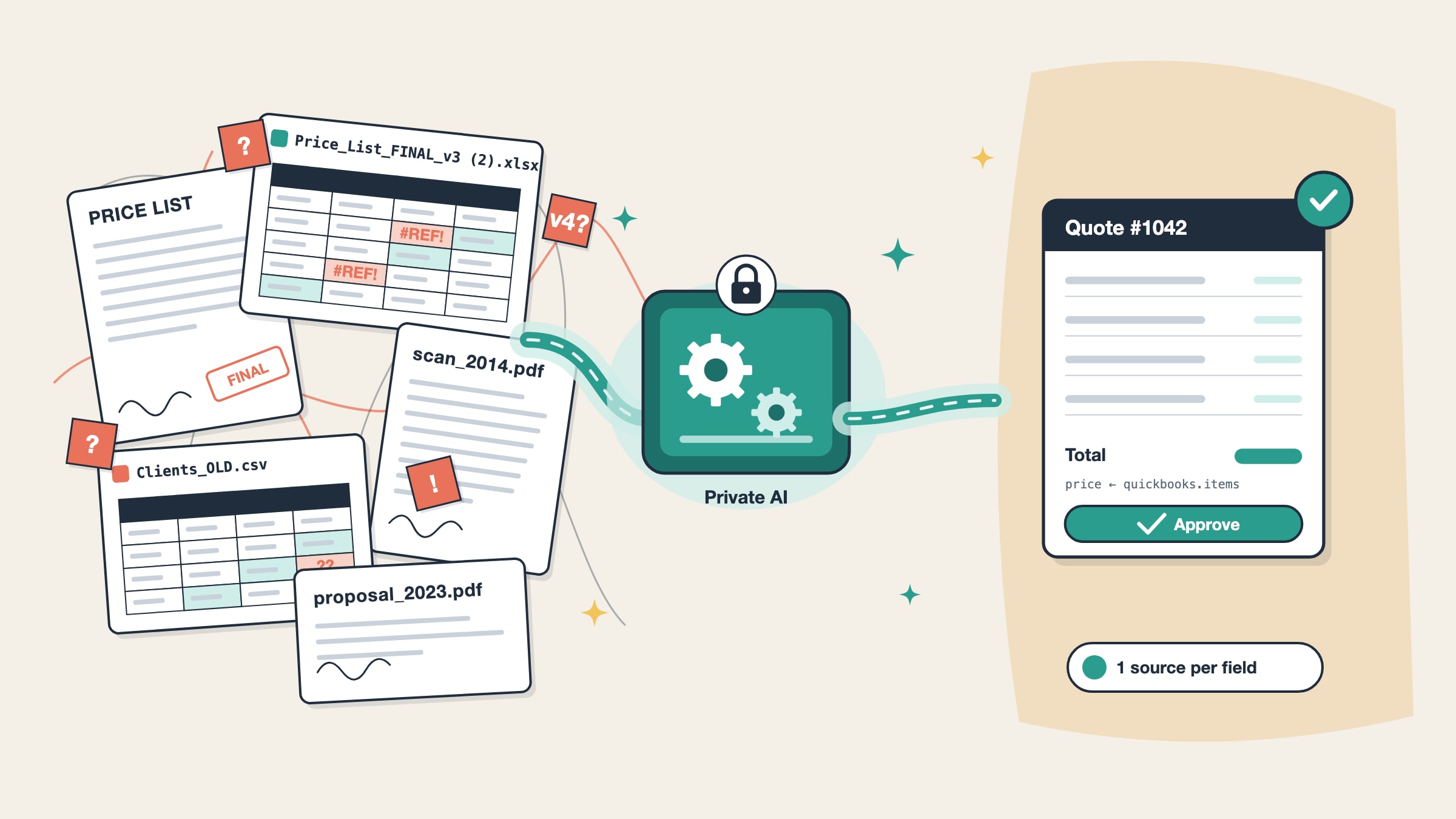
So when you tell me your price list exists in four versions and the right one is attached to an email from March, I'm not shocked. That's a normal Tuesday.
What "ready enough" looks like (for the owner)
Forget the whole company for a minute. Pick one task you'd love to hand off, then answer four questions about it.
1. Could a new hire do it from the files alone? Picture a smart temp starting on Monday. If they could get it done with a few pointers ("prices are in this sheet, ignore the old tab"), you're in good shape. If the answer only lives in Maria's head, we need to get it out of her head first. That's usually a one-hour conversation, not a project.
2. Is there one place you'd call the truth? Not the only place. Just the one that wins when two sources disagree. "The QuickBooks item list beats the PDF catalog" is a perfectly good answer.
3. Can someone spot a wrong answer in two minutes? If your estimator can glance at a draft quote and see what's off, you already have a quality check.
4. Does it happen at least weekly? Monthly tasks can be worth automating too. Weekly ones pay back faster, and when they break, people notice quickly.
Mostly yeses? Then your data is ready for that task. Today. Mess and all.
What "messy" means in practice (for the technical person)
If you're the one who gets the call when something breaks, this part is for you. Here's what we tend to run into at 10-to-100 person companies and how we deal with it. None of it requires a data warehouse.
| The mess | Does it block AI? | What we do |
|---|---|---|
Price_List_FINAL_v3 (2).xlsx and its cousins | Only if nobody picks a winner | Name one source per field, ignore the rest, log which file was used |
| Scanned PDFs from 2014 | Not really | OCR on ingestion, keep a link back to the original page |
| Spreadsheets built for humans (merged cells, notes in column Z) | Sometimes | Parse into a defined schema and fail loudly on rows that don't fit |
| CRM fields stuffed with free text | No | Treat it as text and search it by meaning instead of exact match |
| Folder permissions nobody has reviewed since 2019 | Yes, for security | Map roles first, then filter retrieval by role before anything reaches the model |
| The same client spelled three different ways | Barely | Fuzzy matching plus a short alias list that a person signs off on |
A few habits sit underneath that table.
Keep structured and unstructured data apart. Prices, quantities and rates get read from tables at the moment they're needed. Contracts, emails and old proposals get chunked and embedded so they can be searched. The worst bug I see in DIY setups is a model quoting a price it "found" in a 2023 proposal PDF while the current price table sits right there, unused.
Write the source map down. It can be a tiny config file:
price:         quickbooks.items        # always wins
product_specs: drive:/Catalog/2026/    # newest file by modified date
past_jobs:     drive:/Jobs/**/*.pdf    # search only, never used for prices
client_info:   hubspot.companies
Boring. That's the point. When an output looks wrong, you know exactly where to look.
Flag, don't guess. If an item has no price, the system should stop and ask. A model will happily produce a plausible-looking number, and your validation layer is the thing that refuses it.
Keep a test set. Thirty or forty real past cases with known correct outputs. When somebody renames a spreadsheet column (they will), you rerun the set and find out in five minutes instead of from a client.
A small example from our own work
One of our clients designs natural gas installations. Five people. Each job needs legal forms filled in from the project files, and each form used to take an hour or more by hand.
We built them a form filler that turns those project files into a draft form in seconds. When a source file changes, the draft updates to match.
Notice what that last sentence quietly requires. A draft can only follow its source file if everyone agrees which file is the source, field by field. Somebody has to make that call once, for one real form, with a working tool on the other end.
That's the pattern. The project forces a handful of small, specific decisions about your data, and those decisions stick because something visibly breaks when they don't. A "cleanup week" never has that kind of pressure behind it.
Where I'd push back on myself
Some problems really do need fixing first.
If the information doesn't exist at all (say nobody records actual hours on jobs, so there's nothing to compare estimates against), no model will conjure it. Start capturing it now, even in a plain spreadsheet, and come back in three months.
If you're in healthcare and the data is protected health information, that's a different conversation. We don't sign Business Associate Agreements, so we don't touch PHI. Better you hear that from me now than on a third call. (Our trust page covers the rest.)
And if your folder permissions are a free-for-all, sort that out before connecting anything. An AI search tool that faithfully respects broken permissions will show the payroll folder to whoever asks.
Those are real blockers. "Our files are badly named" isn't one of them.
Try this before Friday
Take the task you picked earlier and do it once by hand. Write down every file, tab and system you open along the way, including the moment you message a coworker to ask which version is current.
That list is the data map for your first project. Most people are surprised twice: by how short it is, and by how many of the files on it have a twin.
Bring the list to a call and we can usually tell you in about twenty minutes whether the data is ready enough. If you want a written answer with numbers, our Plan audit is a fixed $750 and gets credited in full toward the build if you go ahead. Or just book a free 20-minute call.
Bring the messy folder. We've seen worse.