Somebody on your team has ChatGPT open in a browser tab right now. I'd bet money on it.
They're probably cleaning up an email, or summarizing a long PDF a client sent over. Maybe it's even helping. But when owners tell me their company "uses AI," this is usually what they mean, and I wouldn't call it integration. It's more like hiring a very smart temp and then not letting them anywhere near the filing cabinet.
Integration starts when the AI can actually reach your stuff. Your price sheets. The CRM. That folder of 400 past job PDFs nobody wants to open. And it can do something useful with all of that without a person copy-pasting in both directions.
I'm going to explain what that looks like twice. The first pass is for owners and managers who want the plain-English version. The second is for whoever ends up maintaining the thing: your IT person, your nephew who "knows computers," or you, if you happen to be that person. Read the half you need. Read both if you want, I won't stop you.
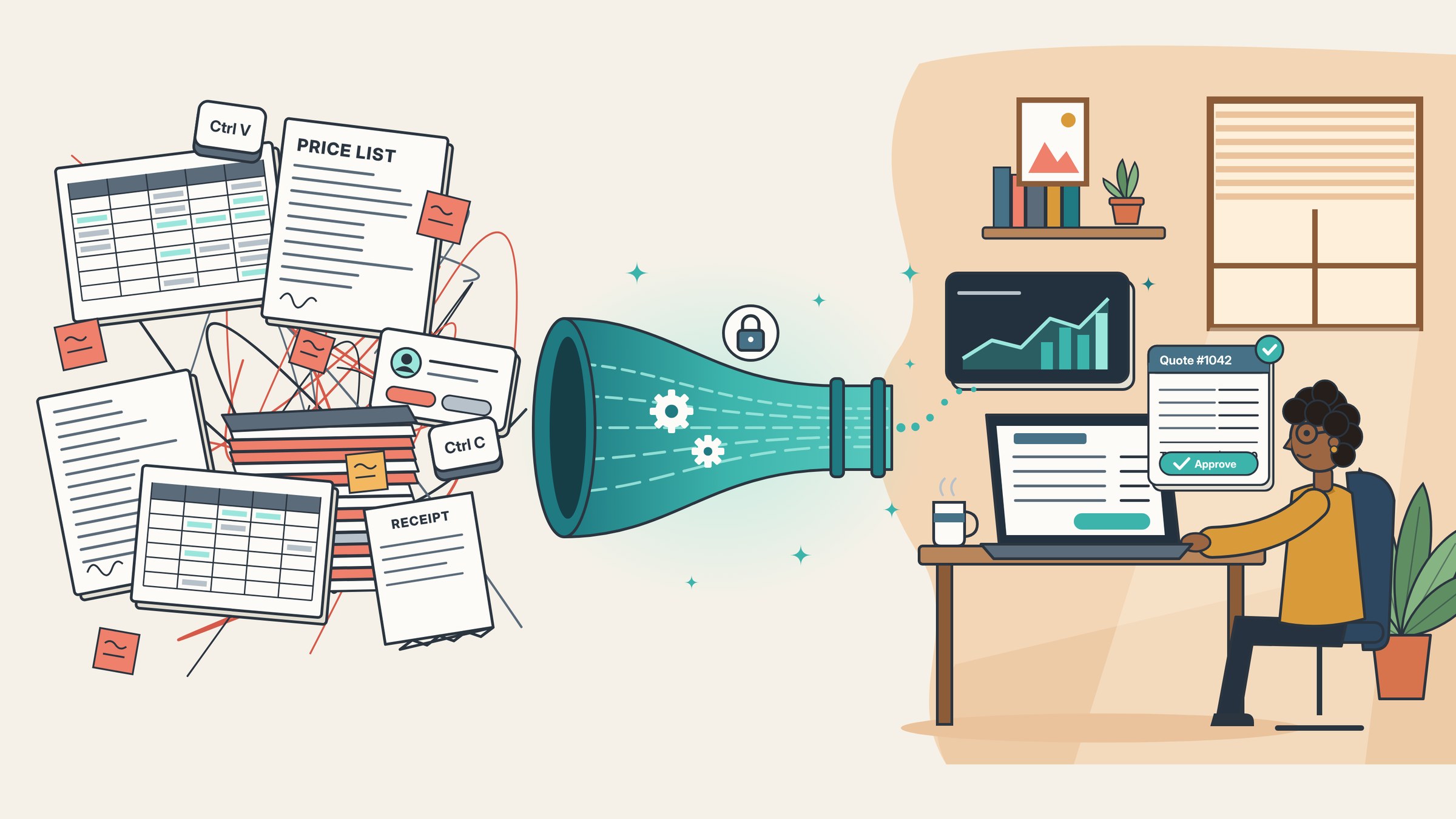
The gap between "we use AI" and "AI does work here"
At first glance, the adoption numbers look great. The U.S. Chamber of Commerce's 2025 Empowering Small Business report found that 58% of small businesses use generative AI. That's up from 40% the year before and 23% in 2023.
Now look at the Census Bureau. Its Business Trends and Outlook Survey asks a tighter question: did your business use AI in any function during the last two weeks? As of May 2026, about 20% of firms said yes. Among companies with 250 or more employees it was 37%. For firms with four or fewer people, it stayed under 20%.
Different surveys, different samples. I won't pretend they line up neatly.
But I think the gap is telling you something real. Lots of businesses have tried AI. Far fewer have made it part of how the work gets done every single week.
And most of that trying happens on personal accounts. In Microsoft's 2024 Work Trend Index, 78% of AI users said they bring their own AI tools to work. At small and medium-sized companies the number was 80%.
Think about the last time someone on your team pasted a client's details into a chatbot to get a draft started. Was it a company account? Did anyone check? Cisco's 2024 privacy benchmark found that 48% of organizations had people entering non-public company information into generative AI tools, and 27% had banned those tools at least for a while. (We wrote a whole post on business plans and a usage policy if that one stings a little.)
Why the browser tab approach stalls
MIT's NANDA initiative looked at this inside big companies last year and came back with a number that got passed around everywhere: roughly 95% of generative AI pilots showed little to no measurable effect on profit and loss.
The headline got the clicks. The reason behind it is the useful part. The researchers didn't blame the models. They blamed integration. Generic tools work well for one person writing one thing, but they don't learn your workflows, and they don't plug into the systems where your work actually lives.
Two other findings from that report stuck with me.
The biggest returns showed up in back-office automation, not in the flashy sales and marketing tools that eat most of the budget. And companies that partnered with specialized outside vendors succeeded about two-thirds of the time, while purely internal builds worked out about a third as often.
Yes, I run a company that does exactly that kind of partnering, so feel free to take my enthusiasm with a grain of salt. Still, those were large organizations with full IT departments behind them. A 25-person construction firm has fewer people to throw at this problem, not more.
Version one: for the owner
Forget the tech for a minute. Picture onboarding a new office manager.
You wouldn't hire someone sharp, sit them at an empty desk and ask them to write quotes from memory. You'd hand them four things:
- Keys to the filing cabinet. Access to the price sheets, past jobs and client records they need, and nothing they don't.
- Logins to your tools. QuickBooks, the CRM, the shared drive, email.
- A clear job. "When a site-visit form comes in, build the quote from the current price list using our template."
- Someone who signs off. Nothing reaches a client until a person has looked at it.
That's AI integration. Same four things. The new hire just happens to be software that works in seconds and never calls in sick.
Here's one from our own client work. A custom motorized shades company in Miami, about 15 people, was putting quotes together by hand. Someone had to look up item codes and prices across several sources, and a large quote took around 30 minutes. If the people who knew the codes were out that day, quotes sat and waited. Prices were correct 78% of the time.
We built them a quoting tool that pulls codes and prices straight from their sources, drafts the quote and asks for any missing details before it goes out. Large quotes dropped from about 30 minutes to seconds. Correct prices went from 78% to 100%. (More on that kind of project here.)
Look at what stayed the same, though. Same systems as before. A person still reviews every quote. Nobody got replaced. The tedious lookup work just happens in the background now.
What you need to bring is less than most owners expect:
- A task that repeats at least weekly and follows a pattern
- Data that lives somewhere reachable, like Drive, Excel, a CRM or even a messy folder of PDFs
- Someone who can say "yep, that's right" in a couple of minutes
You don't have to swap out your software. You don't need perfectly clean data before you start either. Cleaning it up is often part of the project.
Version two: for the person who has to maintain it
Okay. If you're the one who gets the text when something breaks, here's what's actually inside one of these systems. I'll stick with the quote example because it touches almost every moving part.
1. Sources and connectors. Every project starts with an inventory. Where does the data live, and how do we read it? Google Drive and Microsoft 365 have solid APIs, and so do HubSpot, QuickBooks Online and most modern CRMs. Spreadsheets get read directly. An older system with no API might mean a scheduled export into a folder. Less elegant, works fine.
2. Ingestion and indexing. Unstructured content (PDFs, contracts, old proposals) gets parsed, split into chunks and turned into embeddings, so it can be searched by meaning instead of exact keywords. Structured data like price lists and CRM fields usually stays structured and gets queried directly. Mixing those two up is one of the most common mistakes I see. You never want a model "remembering" a price from a 2023 PDF when there's a live price table it should be reading.
3. Permissions at retrieval time. People skip this part. It's the part that matters most. If your bookkeeper can't open the payroll folder in Drive, the AI shouldn't be able to pull from that folder when the bookkeeper asks it a question. We filter what gets retrieved by the user's role before anything reaches the model.
4. The model call. The model gets the task, the retrieved context and a strict output format, usually a JSON schema. Structured output is what keeps the next step boring and predictable, which is exactly what you want. Models are used under business or API terms where the vendors say your data isn't used for training, and on custom builds everything runs in an isolated, encrypted environment dedicated to that one client. (Our trust page spells out where we stand, including what we're not certified for.)
5. Actions. The JSON fills a PDF template, creates a draft deal in the CRM or drops a report into a shared folder. Writes go through the same APIs we read from.
6. A human checkpoint. Anything client-facing lands in a review queue first. Approve it, edit it or toss it. Every decision gets logged.
7. Logs and a test set. Keep 30 to 50 real past examples with known correct answers. When prices change, a vendor updates its model or someone renames a spreadsheet column, rerun the set and find out what broke before a client does.
Roughly, the flow looks like this:
site-visit form  ->  fetch price sheet + similar past jobs (filtered by role)
                 ->  model returns the quote as JSON (validated against a schema)
                 ->  fill the PDF template + create a CRM draft
                 ->  review queue  ->  approved  ->  sent to client
Nothing exotic in there. Most of the effort goes into steps 1, 3 and 7, not the AI itself. Which is kind of the point.
Why your own data is the whole game
There's a well-known study by researchers at Stanford and MIT that followed 5,179 customer support agents at a software company. Giving them an AI assistant raised productivity by 14% on average, and by 34% for newer, less experienced agents.
What usually gets left out of the retelling is how that assistant worked. It was trained on the company's own support conversations and picked up what the best agents did. So the people who gained the most were the newest ones, because they suddenly had the veterans' know-how sitting next to them.
That's the part that should get a small business owner excited. Your best estimator. Your most experienced paralegal. The property manager who just knows which contractor to call for a burst pipe at 9 p.m. on a Friday. Their knowledge is already in your files, scattered across emails and PDFs and spreadsheets. Integration is how the rest of the team gets to borrow it.
McKinsey once estimated that knowledge workers spend nearly 20% of their week hunting for internal information or tracking down the colleague who can help. That estimate is from 2012. I'd love to tell you we've fixed it since. We haven't. We just have more folders.
Where I'd start, and what I'd skip
Pick one workflow. Not five. One.
Good first candidates usually look something like this:
| Workflow | Where the data lives | What the AI does | Who signs off |
|---|---|---|---|
| Quotes from site visits | Price sheet, past jobs, intake form | Drafts the quote PDF | Estimator |
| Monday numbers report | QuickBooks, CRM, a spreadsheet or two | Pulls, totals and writes the summary | Owner |
| "Where's that clause?" questions | Contracts and SOPs in Drive | Answers with a link to the source | Whoever asked |
| Lead follow-up | CRM and inbox | Drafts the follow-up and logs it | Sales rep |
Then do some honest napkin math. Say four people each lose five hours a week to one of these tasks. That's 20 hours a week, or around 1,000 hours a year. At a loaded cost of $35 an hour, you're spending roughly $35,000 a year on that single task. Cut it in half and you get back about $17,500 worth of time. Every year. (Plug in your own numbers. I suspect they're worse than mine.)
For context, our Automate projects start at $3,500, and custom Build projects typically land between $8,000 and $25,000, at a fixed price agreed before we start. Some workflows clear that bar with room to spare. Some don't, and you should find that out before you spend a dollar.
What I'd skip:
A chatbot on your website as project number one. It's what everyone asks for first, and it's rarely where the hours are hiding.
Integrating everything at once. You end up with a giant project, a long timeline and no single win you can point to.
Anything custom, if a business plan of ChatGPT or Claude already handles it. I mean that. Plenty of teams just need the right plan and a bit of training, and we'll tell you so on the call. (Here's how to tell the difference.)
Before you talk to anyone
Do three things this week. They cost nothing.
Write down the one task your team complains about most. Time it for five working days, roughly, nobody needs a stopwatch. Then save ten real examples of the finished output, like ten quotes or ten Monday reports.
That's it. With those three things on the table, anyone you talk to (us included) can tell you in about twenty minutes whether integration makes sense, what it would touch and whether the math works.
If you'd like that second opinion, book a free 20-minute call. Bring the annoying task. It's usually the right place to start.